


Outdoor LED Advertising Screens: The Complete Guide to Choosing the Right Pixel Pitch
In the world of Digital Out-of-Home (DOOH) advertising, your screen is your voice. A vibrant, high-resolution outdoor LED screen captures attention, drives foot traffic, and elevates brand perception. However, a blurry, pixelated screen does the exact opposite—it looks cheap and unprofessional.
The difference between a stunning display and a disappointing one usually comes down to one technical specification: Pixel Pitch.
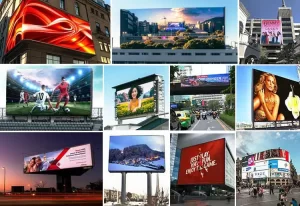
Choosing the right pixel pitch for outdoor environments is significantly more complex than indoor screens. You must account for viewing distances that range from 5 meters to 500 meters, compete with direct sunlight, and withstand harsh weather.
This guide will break down everything you need to know about outdoor pixel pitches (ranging from P2.5 to P16) so you can make a profitable investment.
1. The Outdoor Challenge: Why Pitch Matters More Outside
Unlike indoor screens, where viewers are stationary and lighting is controlled, outdoor advertising faces dynamic challenges.
The “Billboard Effect”
Outdoor screens are often viewed by people in motion—driving cars or walking briskly. You have split seconds to convey a message.
- If the pitch is too high (e.g., P16 on a low street sign): The text will look like a blocky mess, and the message is lost.
- If the pitch is too low (e.g., P2.5 on a highway billboard): You have wasted thousands of dollars on resolution that the human eye cannot physically see from inside a car.
The Sunlight Factor
Outdoor pixels must be physically larger or brighter to compete with the sun. This is why outdoor pixel pitches are generally larger than indoor ones. While an indoor screen might be P1.8, an outdoor screen rarely goes below P2.5 because the diodes need to be robust enough to output 5,000 to 10,000 nits of brightness.
2. Categorizing Outdoor Pixel Pitches: P3 to P16
To choose the right screen, you must understand the standard categories available in the market today.
Tier 1: High-Resolution / Street Level (P2.5 – P4)
- Common Models: P2.5, P3, P3.9, P4.
- Best For: Luxury retail storefronts, outdoor pedestrian plazas, bus stop shelters, and drive-thru menu boards.
- The Scenario: The viewer is standing on the sidewalk, perhaps waiting for a light or walking into a mall. They are 3 to 10 meters away.
- Why use it? At this close range, you need to display crisp video, QR codes, or fine text. A P10 screen here would be unreadable.
Tier 2: The Commercial Standard (P5 – P8)
- Common Models: P5, P6, P6.67, P8.
- Best For: Shopping center facades, gas station signage, school entrances, and church signs.
- The Scenario: The viewer is in a parking lot or driving slowly on a local road. They are 10 to 25 meters away.
- Why use it? This is the “Goldilocks” zone. P6 is currently the most popular outdoor specification globally because it offers a great balance of sharp resolution and reasonable cost.
Tier 3: Long Distance / Massive Billboards (P10 – P16)
- Common Models: P10, P16, P20.
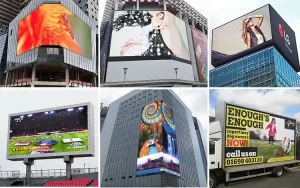
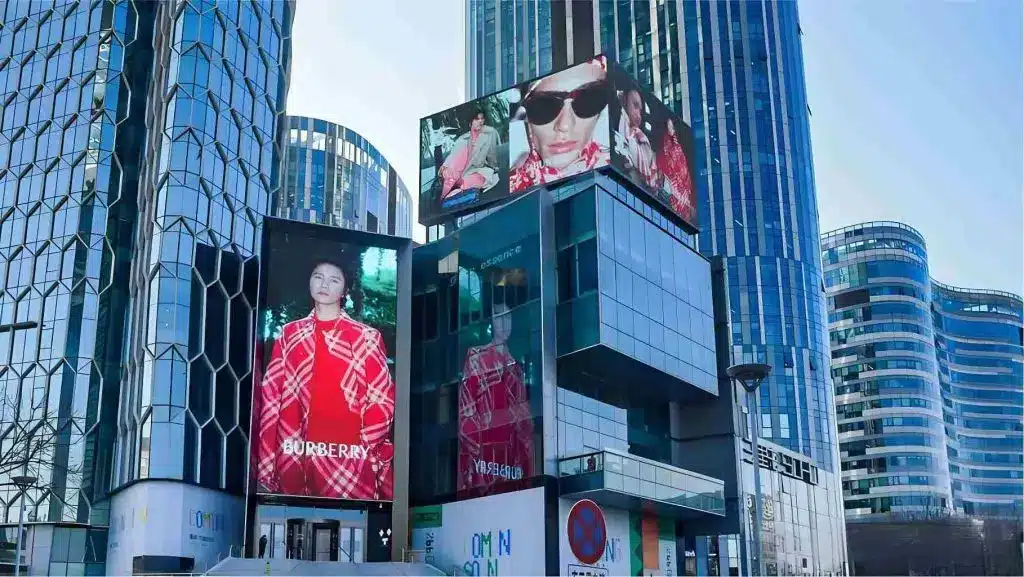
- Best For: Highway billboards, stadium scoreboards, top-of-building displays (Sky Signs).
- The Scenario: The viewer is driving 60mph on a freeway or looking up at a skyscraper. They are 30 to 100+ meters away.
- Why use it? When a screen is 100 feet in the air, the human eye blends the pixels together naturally. Using a P4 screen on a highway billboard is financially irresponsible—a P10 or P16 will look exactly the same from the road but costs significantly less.
3. The 3-Step Formula for Selection
Don’t guess. Use this three-step framework to determine your exact needs.
Step 1: Measure the Closest Viewing Distance (CVD)
Where is the closest person who needs to read your sign?
- The Golden Rule: Pixel Pitch (mm) = Closest Viewing Distance (Meters).
- If your closest viewer is 6 meters away, choose P6.
- If your closest viewer is 10 meters away, choose P10.
- If your closest viewer is 4 meters away, choose P4.
Note: You can go lower (e.g., using P6 for a 10m distance) for a sharper image, but never go higher (e.g., using P10 for a 4m distance).
Step 2: Determine Total Screen Size
Resolution is a math problem.
- Total Resolution = (Screen Width / Pixel Pitch) x (Screen Height / Pixel Pitch)
To display a decent video or image, you generally need a minimum resolution of 192 x 192 pixels for a basic logo/text sign, or 384 x 216 pixels for decent video playback.
- Small Screen (2m x 1m): You must use a small pitch (P3 or P4) to get enough pixels onto the surface.
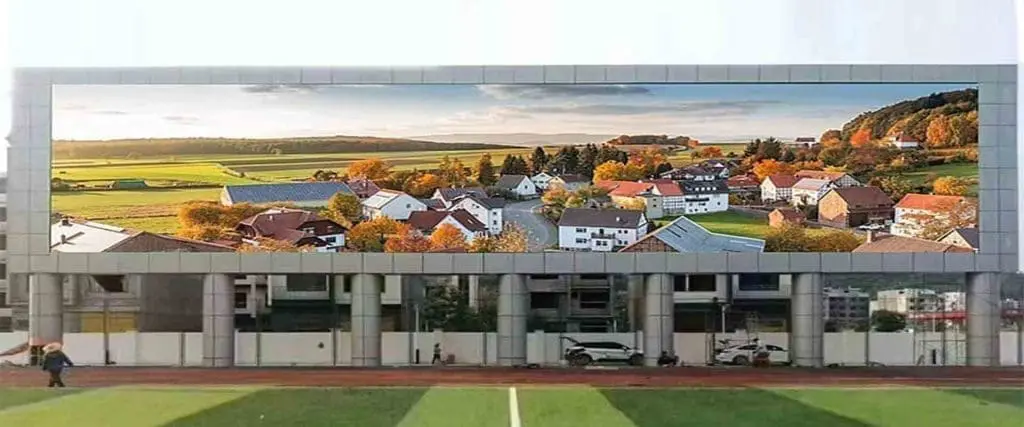
- Huge Screen (15m x 5m): You can use a large pitch (P10 or P16) because the sheer size of the screen guarantees you will have enough pixels for a high-resolution image.
Step 3: Define Content Type
- Text & Logos: Requires high contrast but less resolution. Larger pitches (P8, P10) are often fine.
- High-Definition Video/Ads: If you are running Nike or Coca-Cola ads with cinematic details, you need higher pixel density (P4, P5, P6).
4. Technical Nuances: SMD vs. DIP
When buying outdoor screens, you will see these acronyms. They affect the visual performance of your pixel pitch.
SMD (Surface Mounted Device)
- Used in: P2.5 to P10.
- Tech: Red, Green, and Blue chips are encapsulated in one tiny square.
- Pros: Wide viewing angle (140°+), excellent color blending, high contrast.
- Verdict: The modern standard for 90% of outdoor screens.
DIP (Dual In-line Package)
- Used in: P10, P16, P20.
- Tech: Separate Red, Green, and Blue bulbs stick out of the board.
- Pros: extremely bright (“eye-searing” brightness for direct sun), very durable against weather.
- Verdict: Still the king for massive highway billboards or extremely hot/humid climates, but falling out of favor for closer viewing distances.
5. Budget and ROI Analysis
The price difference between pixel pitches is exponential, not linear.
- P10 Outdoor: $ (Most Affordable)
- P6 Outdoor: $$
- P4 Outdoor: $$$$
- P2.5 Outdoor: $$$$$$ (Premium)
The ROI Trap:
Many business owners think “Clearer is Better” and buy a P3 screen for a pole sign 30 feet in the air. This is a mistake. The customers cannot see the extra detail from that distance. You could have bought a P6 screen for half the price and achieved the exact same visual impact, yielding a much faster Return on Investment (ROI).
6. FAQ: Common Outdoor Screen Questions
Q: What brightness do I need for an outdoor screen?
A: You need at least 4,500 nits for screens in partial shade, and 6,000 to 10,000 nits for screens facing direct sunlight. Anything less will look black during the day.
Q: Does pixel pitch affect waterproofing?
A: Indirectly. All outdoor screens should be rated IP65 (front) and IP54 (rear) at a minimum. Smaller pixel pitches (like P2.5) are harder to waterproof because the components are so dense, often requiring more expensive manufacturing techniques (like GOB – Glue on Board) to ensure durability.
Q: Can I play 4K content on a P10 screen?
A: You can send a 4K signal to the screen, but the screen will downscale it to its native resolution. If your P10 wall is only 500 pixels wide, you are watching a 500-pixel image, not 4K.
Conclusion
Choosing the right pixel pitch for your outdoor LED advertising screen is about finding the balance between viewing distance and budget.
- Choose P2.5 – P4 for close-up, street-level engagement.
- Choose P5 – P8 for commercial signage and plazas.
- Choose P10 – P16 for highways and skyscrapers.