

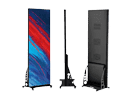




How to Install an Indoor LED Display: A Complete Guide

Installing an indoor LED display requires careful planning, the right tools, and proper execution to ensure optimal performance and durability. Whether the display is for a corporate conference room, retail store, or event venue, understanding the installation process can save time and prevent costly mistakes.
This comprehensive guide walks you through planning, preparation, installation, and post-installation maintenance for your indoor LED display.
Step 1: Plan Your Indoor LED Display Installation
Before starting the installation, it’s critical to identify your specific requirements and prepare the necessary resources.
Key Factors to Consider
-
Purpose of the Display
- Will it be used for presentations, advertising, or entertainment?
- The purpose determines the pixel pitch, screen size, and resolution requirements.
-
Viewing Distance
- For indoor displays, a smaller pixel pitch (e.g., P2 or P3) is ideal for a closer viewing distance (2–5 meters).
- Larger venues may require slightly larger pixel pitches (e.g., P4).
-
Screen Size and Layout
- Measure the available wall or mounting space and determine the ideal screen size.
- Modular LED panels allow flexibility to create custom screen dimensions.
-
Location and Environment
- Ensure the installation location has controlled lighting (to avoid glare) and proper ventilation.
- Avoid placing the screen near heat sources or areas with high humidity.
-
Power and Connectivity
- Check the availability of power outlets and network connections close to the installation site.
- Plan for any additional wiring that may be required.
Step 2: Install Indoor LED Screen Gather Tools and Equipment
Having the right tools and equipment ensures a smooth installation process.
Install Indoor LED Display Tools and Materials You’ll Need
- Mounting Bracket or Frame: Customizable to suit the LED screen’s size and weight.
- Screwdrivers and Drills: For securing the brackets to walls or mounts.
- Measuring Tape: To ensure precise alignment of the screen.
- Leveling Tool: Essential for ensuring the display is perfectly straight.
- Power Cables and Network Cables: For connecting the LED screen to power and content sources.
- Video Processor: To manage input signals and optimize content playback.
- Protective Gloves: To handle LED panels without damaging the surface.
- Ladders or Scaffolding: For installing displays at higher locations.
Step 3: Prepare the Installation Site
1. Wall Preparation
- Ensure the wall or mounting surface is clean, dry, and level.
- For heavier screens, check the wall’s load-bearing capacity. Reinforce it if needed.
2. Power and Cabling Setup
- Install power outlets and cables close to the screen. Use dedicated circuits to prevent power surges.
- Test the network connection for stability if the LED display will stream live or dynamic content.
3. Safety Check
- Ensure the installation area is clear of obstacles and hazards.
- Wear protective gear and follow safety guidelines, especially for high-mounted displays.
Step 4: Assemble and Mount the LED Screen

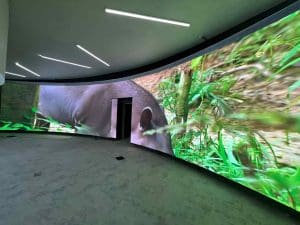
Indoor Led Screen
1. Install the Mounting Bracket or Frame
- Secure the mounting bracket or frame to the wall using screws and anchors.
- Use a leveling tool to ensure the frame is perfectly aligned.
- For larger displays, consider installing a steel or aluminum support structure for added stability.
2. Assemble LED Panels
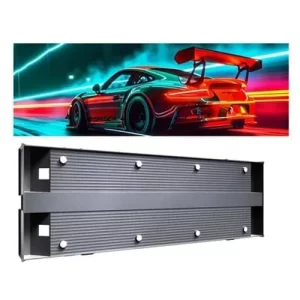
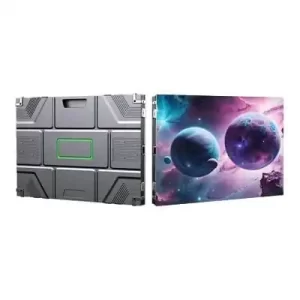
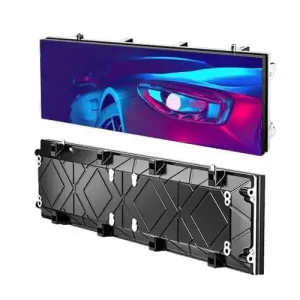
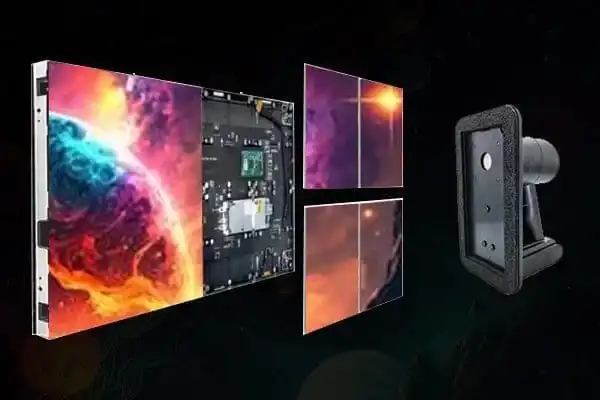
- Connect individual LED panels to form the screen. Follow the manufacturer’s instructions for attaching panels securely.
- Ensure the panels align seamlessly to avoid visible gaps or misalignments.
3. Connect Power and Signal Cables
- Connect power cables to the LED screen’s control system.
- Attach network or HDMI cables to the video processor, which manages the content display.
Step 5: Configure the LED Display
Once the screen is physically installed, configure the software and settings to optimize performance.
1. Calibrate the Screen
- Adjust brightness, contrast, and color settings to suit the indoor environment.
- Use the provided software to align the display’s resolution with the content source.
2. Test Content Playback
- Play test content (e.g., videos, images, or presentations) to ensure the screen displays correctly.
- Check for any dead pixels, flickering, or alignment issues.
3. Sync with Content Management System (CMS)
- If the LED display will show dynamic or scheduled content, connect it to a CMS.
- Configure the CMS to upload and manage content remotely.
Step 6: Conduct Final Safety and Quality Checks
Before declaring the installation complete, verify the following:
- Structural Stability: Ensure the screen and frame are securely mounted.
- Cable Management: Organize and conceal cables for a clean and professional appearance.
- Performance: Run the screen for several hours to ensure it operates smoothly without overheating or technical issues.
Step 7: Maintain the Indoor LED Display
To extend the lifespan of your LED display and maintain its performance, follow these maintenance tips:
1. Regular Cleaning
- Use a soft, dry cloth or specialized cleaning tools to remove dust and dirt from the screen.
- Avoid using water or abrasive cleaners, as they can damage the LED surface.
2. Inspect Connections
- Periodically check power and signal cables for wear or looseness.
- Replace damaged cables immediately to prevent performance issues.
3. Update Software
- Keep the display’s firmware and content management system updated to ensure compatibility with new content formats.
4. Monitor Performance
- Regularly check for dead pixels, flickering, or inconsistencies in brightness.
- Schedule professional maintenance if issues persist.
Common Questions About Installing Indoor LED Displays
1. Can I install an indoor LED display myself?
While it is possible to install smaller indoor LED screens yourself, larger or more complex displays should be handled by professionals to ensure proper alignment, safety, and functionality.
2. How long does installation take?
The installation timeline depends on the screen size and complexity. Small screens can take 2–4 hours, while larger displays may require a full day or more.
3. What are the power requirements for an indoor LED display?
Most indoor LED screens require 100–240V AC power. Check the manufacturer’s specifications for exact requirements and ensure a stable power source is available.
4. Are indoor LED displays energy-efficient?
Yes, modern indoor LED screens are highly energy-efficient. They often include features like automatic brightness adjustment to minimize power consumption.
5. How do I avoid visible gaps between LED panels?
To prevent gaps, ensure the mounting frame is level and follow the manufacturer’s panel alignment guidelines. Using a professional installation team can also help achieve a seamless finish.