


What is Pixel Pitch? The Ultimate Guide to LED Display Resolution
If you are in the market for an LED video wall, “Pixel Pitch” is the single most important specification you will encounter. It dictates the resolution, the optimal viewing distance, and arguably most importantly, the price of your project.
You will often see model numbers like P1.2, P2.5, P3.9, or P10. But what do these numbers actually mean? Is a P1.2 screen always “better” than a P3.9 screen?
In this comprehensive guide, we will demystify the technical jargon. We will explain the physics of pixel pitch, how to calculate the exact resolution you need, and how to choose between common sizes like P1.2, P2.5, and P3.9 to maximize your budget.
1. The Definition: What Exactly is Pixel Pitch?
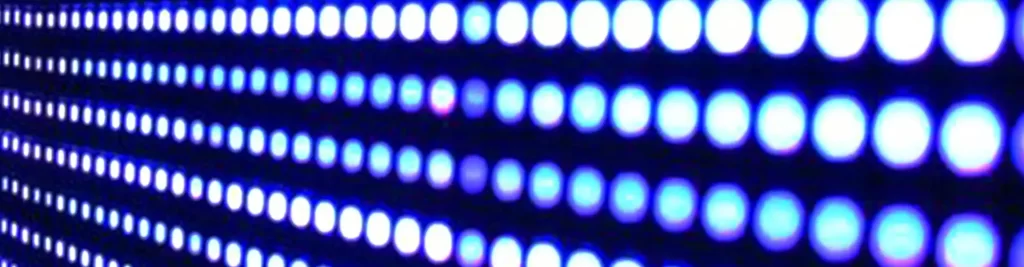
Pixel Pitch (also referred to as “dot pitch”) is the physical distance, measured in millimeters, from the center of one LED pixel to the center of the adjacent pixel.
- The “P” stands for Pitch.
- The number indicates the distance in Millimeters.
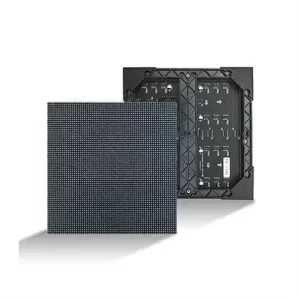
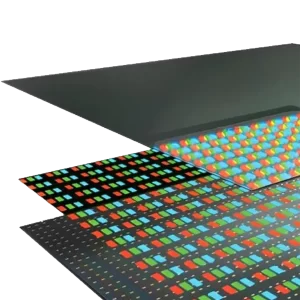
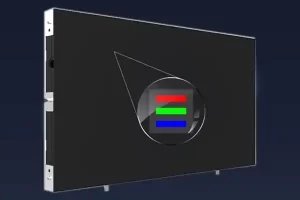
A “Pixel” on an LED wall is typically a cluster of three diodes (Red, Green, and Blue) mounted together.
Visualizing the Difference
- P1.2: The pixels are extremely close together (1.2mm apart). This creates a dense, smooth surface.
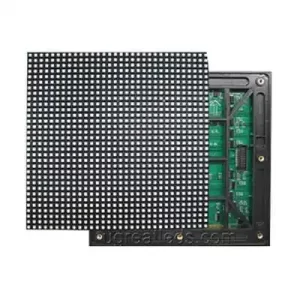
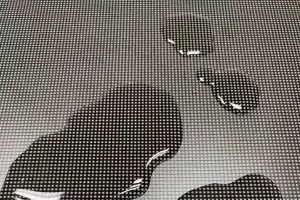
- P10: The pixels are spaced far apart (10mm apart). You can see the black gaps between the lights if you stand close.
The Golden Rule of LED Pricing
There is a direct correlation between pitch and price:
- Lower Pixel Pitch (e.g., P1.2) = Higher Pixel Density = Higher Resolution = Higher Cost.
- Higher Pixel Pitch (e.g., P10) = Lower Pixel Density = Lower Resolution = Lower Cost.
2. P1.2 vs. P2.5 vs. P3.9: A Detailed Comparison
To help you decide, let’s break down the three most common categories of pixel pitch currently on the market.
P1.2 – P1.9: Fine Pixel Pitch (The “4K” Competitor)
- Category: Ultra-High Definition (UHD) / Direct View LED.
- Typical Use Cases: Corporate boardrooms, security control rooms (CCTV monitoring), luxury retail, TV studios, and high-end home cinemas.
- Why Choose It? You need to display complex data, small text (like Excel sheets), or 4K video. The viewer will be standing very close (within 4 to 6 feet).
- The Pros: Incredible detail; no visible pixelation even up close.
- The Cons: Very expensive; fragile (requires careful installation); high power consumption due to density.
P2.0 – P2.9: Standard Indoor (The Industry Workhorse)
- Category: High Definition (HD) Indoor.
- Typical Use Cases: Houses of Worship (Churches), conference halls, school auditoriums, shopping mall advertising, hotel lobbies.
- Why Choose It? This is the “sweet spot” for 80% of indoor projects. It offers a crisp image for video and PowerPoint presentations without the astronomical price tag of Fine Pitch.
- The Pros: Great balance of cost and performance; easy to repair.
- The Cons: Not suitable for viewing closer than 8 feet.
P3.9 – P4.8: Rental & Large Venue (The Event Standard)
- Category: Rental / Touring / Large Venue.
- Typical Use Cases: Concert stages, trade show booths, outdoor festivals (if IP65 rated), massive sports arenas.
- Why Choose It? You need a massive screen that people will view from a distance. P3.9 is the standard for rental panels because the LEDs are larger and more durable against the wear and tear of frequent transport.
- The Pros: Cost-effective for large sizes; very bright; durable.
- The Cons: Looks pixelated (blocky) if you stand closer than 15 feet.
3. How to Calculate Optimal Viewing Distance
Choosing the right pitch is not about getting the highest resolution possible; it is about matching the resolution to the human eye’s ability to see detail.
If your audience is 50 feet away, paying for a P1.2 screen is a waste of money—they won’t be able to tell the difference between that and a P3.9 screen.
Method A: The Simple Rule (Minimum Viewing Distance)
The easiest way to estimate the minimum distance before the image looks pixelated is to convert the pitch directly to meters.
- Pixel Pitch (mm) x 1 = Minimum Viewing Distance (Meters)
| Pixel Pitch | Minimum Viewing Distance (Meters) | Minimum Viewing Distance (Feet) |
|---|---|---|
| P1.2 | 1.2 Meters | ~4 Feet |
| P1.5 | 1.5 Meters | ~5 Feet |
| P2.5 | 2.5 Meters | ~8 Feet |
| P3.9 | 3.9 Meters | ~13 Feet |
| P10 | 10 Meters | ~33 Feet |
Method B: The Visual Experience Rule (Retina Distance)
This calculates the distance where the image looks perfectly smooth, similar to a “Retina” display, where the individual pixels become invisible to the healthy human eye.
- Pixel Pitch (mm) x 3 = Visual Sweet Spot (Meters)
Example: For a P2.5 screen, the image looks “good” at 2.5 meters, but it looks perfectly cinematic at 7.5 meters (25 feet).
4. Understanding Resolution and Screen Size
A common misconception is that a “4K LED Wall” comes in a standard box. In the LED world, resolution is determined by physical dimensions.
To achieve Full HD (1920 x 1080) resolution, your screen size must change based on the pitch:
- With P1.2: You need a screen roughly 2.4 meters wide to hit 1920 pixels. (A reasonable size for a meeting room).
- With P3.9: You need a screen roughly 7.5 meters wide to hit 1920 pixels. (This is a massive wall!).
Pro Tip: Do not obsess over hitting exactly “1920×1080.” LED processors can scale your content to fit any aspect ratio. Focus on the physical size of the wall first, then choose the pitch that gives you decent resolution within that space.
5. Indoor vs. Outdoor Pixel Pitch
Pixel pitch selection also changes drastically depending on the environment.
Indoor LED Displays
- Common Pitches: P0.9 to P3.9
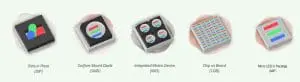
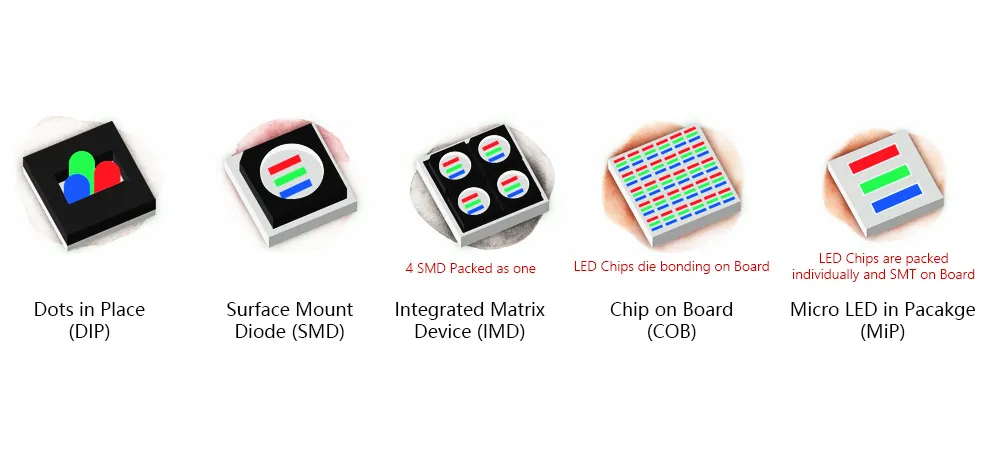
- Characteristics: Uses SMD (Surface Mounted Device) technology. Lower brightness (600-1000 nits) is sufficient.
- Priority: Resolution and Contrast.
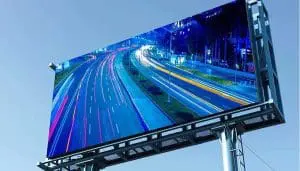
Outdoor LED Displays
- Common Pitches: P3.9 to P16
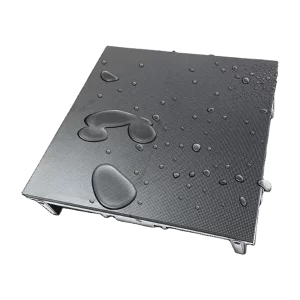
- Characteristics: Uses SMD or DIP technology. Must be IP65 waterproof. Requires ultra-high brightness (4500-10,000 nits) to compete with sunlight.
- Priority: Brightness and Durability.
- Note: Because outdoor viewers are usually much further away (driving by on a highway or standing in a festival field), you rarely need a pitch smaller than P3.9 outdoors.
6. Frequently Asked Questions (FAQ)
Q: Can I mix different pixel pitches on one wall?
A: No. If you mix a P2.5 module with a P3 module, the image will be distorted, the brightness will vary, and the seams will be obvious.
Q: Is smaller pixel pitch always better?
A: Not necessarily. Smaller pitch screens are more expensive and more fragile. If your audience is 30 feet away, a P1.2 screen offers no visual benefit over a P2.5 screen, but it costs 3x as much.
Q: How does pixel pitch affect power consumption?
A: Smaller pixel pitch means more LEDs per square meter. A P1.2 screen has significantly more diodes to power than a P3.9 screen, leading to higher electricity usage and heat generation.
Q: What is “Pixel Density”?
A: This is the number of pixels in one square meter.
- P3.9: ~65,536 pixels/m²
- P2.5: ~160,000 pixels/m²
- P1.2: ~640,000 pixels/m²
As you can see, jumping from P2.5 to P1.2 quadruples the number of pixels!
mip led screen
Conclusion: Making the Right Choice
Selecting the correct pixel pitch is a balancing act between Viewing Distance, Content Requirements, and Budget.
- Start with Distance: Measure how far the closest viewer will sit.
- Check Content: Are you showing large logos (High Pitch OK) or tiny text (Low Pitch needed)?
- Consult an Expert: LED walls are custom investments.
At REISSDISPLAY, we specialize in helping clients navigate these technical choices. Whether you need a fine-pitch boardroom display or a massive outdoor billboard, we ensure you get the right resolution for your specific needs.
Ready to start your project? Contact us today for a quote.