






How to Install Different Types of Transparent LED Displays: A Step-by-Step Guide
Transparent LED display are all the rage these days. Whether you’re installing them for retail advertising, exhibitions, or creating a futuristic experience for customers, these screens can really make an impact. But before you get started, it’s important to understand how to properly install them. Different types of transparent LED displays may require different installation steps. Don’t worry! We’ve broken it down for you.
Let’s walk through how to install different types of transparent LED display step by step.

1. Preparing for Installation
Before you even think about mounting the screen, take a moment to gather all the necessary tools and equipment. Here’s what you’ll need:
- Screws, brackets, and mounting tools – Check the manufacturer’s instructions for specifics on what’s included and what you might need.
- Power cables and connectors – You’ll need these to get your display up and running.
- Drill and screwdrivers – Depending on your mounting surface, you might need to drill holes for screws or bolts.
- Level and measuring tape – For proper alignment.
2. Mounting the Transparent LED Display
Now, let’s get into the different types of transparent LED displays and how to install them.
a. Wall-Mounted Transparent LED Display
Wall-mounted transparent LED displays are one of the most common types. They are usually installed on flat surfaces like glass windows, storefronts, or walls.

- Step 1: Measure and Mark
Start by measuring the space where you want to mount the display. Ensure it is level and that there is enough room for the display’s size. - Step 2: Attach the Brackets
Most transparent LED displays come with mounting brackets. Attach these brackets securely to the wall or surface where you want the screen to hang. Use a level to ensure that the brackets are aligned correctly. - Step 3: Hang the Display
Once the brackets are in place, carefully hang the LED screen onto them. This step might require two people, as some displays can be heavy. - Step 4: Connect Power and Data Cables
Now, connect the power cables and data cables. Be sure to follow the manufacturer’s instructions for wiring. Usually, you’ll plug the power cable into the nearest outlet and the data cable into the media player or controller.
b. Window Display Transparent LED Screen
Transparent LED screens installed on windows give a futuristic touch while allowing passersby to still view the content behind the screen.
- Step 1: Prepare the Window Surface
Clean the window thoroughly to ensure the adhesive sticks well. The cleaner the surface, the better the display will adhere. - Step 2: Install the Frame or Mounting Hardware
Depending on the model, some transparent LED displays come with frames that can be mounted directly onto the window. If yours doesn’t, you may need to use adhesive strips or brackets to hold the display in place. - Step 3: Attach the LED Panels
For modular window displays, the transparent LED panels are usually attached in a grid. Start from the top and work your way down, connecting each panel to the previous one. Make sure they are aligned and secure. - Step 4: Wiring and Connection
Similar to the wall-mount option, you’ll need to connect power and data cables. You may need to hide the cables along the window frame to maintain a clean look.
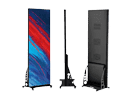
c. Freestanding Transparent LED Display
Freestanding transparent LED displays are ideal for places where you need a mobile solution. These displays come with their own stand, allowing you to place them wherever you need them.
- Step 1: Assemble the Stand
Start by assembling the stand according to the manufacturer’s instructions. Usually, this involves attaching the base to the main frame using screws. - Step 2: Mount the Display
Once the stand is ready, carefully mount the transparent LED display onto it. Ensure the display is secure and level. - Step 3: Connect the Power and Data
Similar to the wall-mounted versions, connect the power and data cables to the display. With freestanding displays, you may also have the option of adding a media player directly to the stand.
3. Testing the Display
Once everything is securely in place, it’s time to test the display. Turn on the power and check the following:
- Display quality: Make sure the display is showing content clearly. Adjust the brightness and contrast if necessary.
- Connections: Double-check that all cables are securely connected and that the media player is transmitting content correctly.
- Alignment: If needed, make final adjustments to the positioning of the screen to ensure it’s perfectly aligned and visible.
4. Troubleshooting Common Issues
Sometimes things don’t go as planned. Here are a few common issues you might encounter:
- No display: Check if the power is connected properly. Also, verify if the data cables are connected securely to both the screen and the media player.
- Flickering or dim display: This could be due to an unstable power supply. Ensure that your power source is reliable and consistent.
- Connectivity issues: Make sure that the data cables are firmly in place and that the media player is correctly transmitting content.
5. Maintenance Tips
To keep your transparent LED display in good shape:
- Clean the surface regularly: Dust and dirt can affect the transparency and display quality.
- Check for software updates: If your display has a media player or smart features, make sure it’s updated regularly for optimal performance.
- Inspect cables and connections: Periodically check the cables and connectors to ensure everything is secure and functioning.
Installing a transparent LED display might seem like a big task, but with the right tools and steps, it can be done with ease. Whether you’re working with a wall-mounted, window, or freestanding display, following these simple guidelines will help you set up your screen correctly and efficiently. With a little patience and attention to detail, you’ll have a high-tech, eye-catching display that’s ready to impress!


